How to Personalize a Family Tree Christmas Ornament
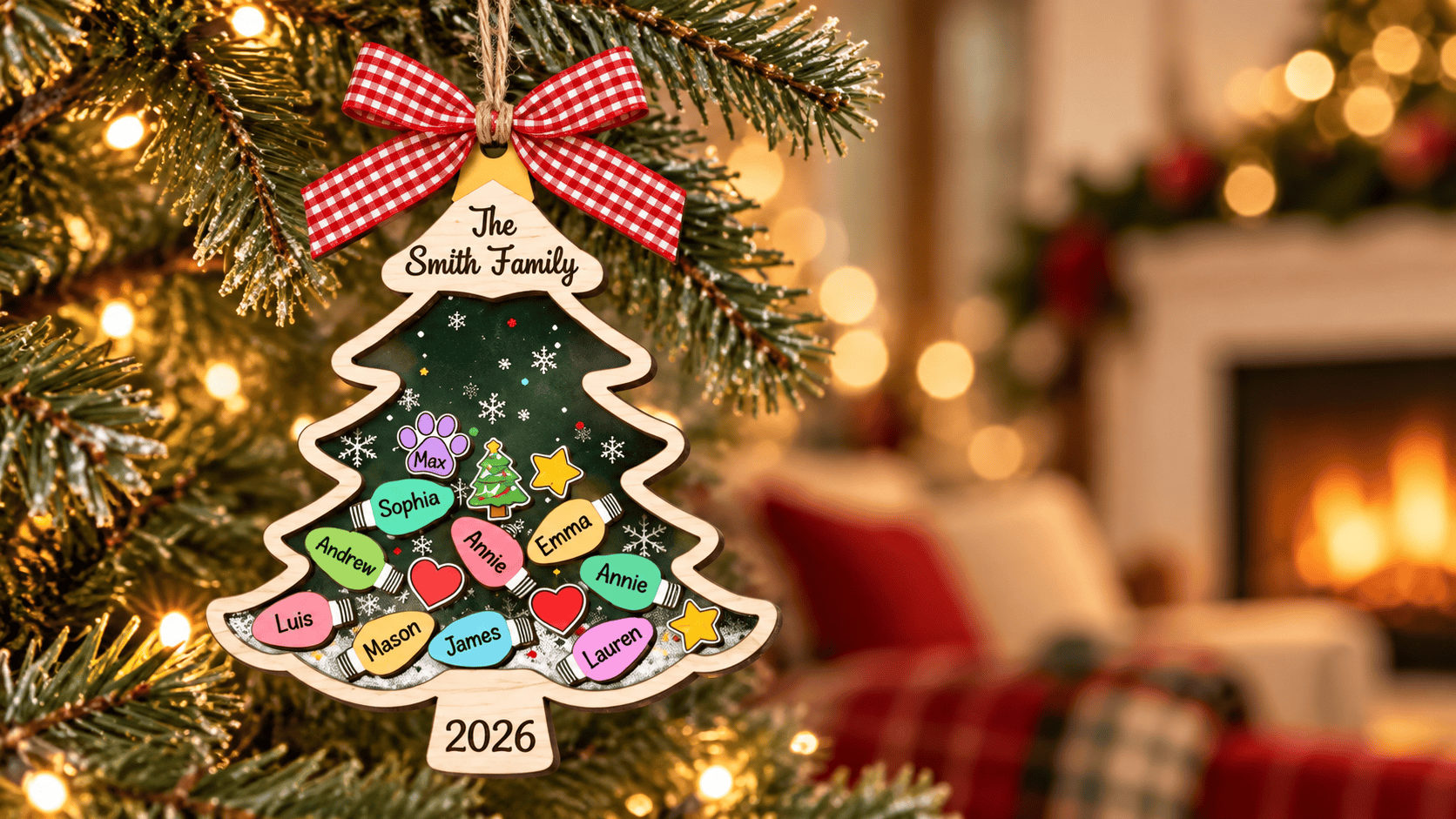
A family tree Christmas ornament can hold more than a last name: it can make room for the people and pets who make your household feel like home. This 2026 acrylic tree design offers a family title, individual name pieces, a tree-color choice, an optional red bow, and several style and size combinations. Use this guide before ordering the Custom Family Tree Ornament 2026.
1. Decide what the family title should say
The first personalization field is for a title or family name, with “The Smith Family” shown as an example. Decide whether you want a surname, “Our First Christmas,” or another short family heading, then check capitalization and spelling with the person receiving the gift. Keep the title distinct from the individual names that will appear inside the tree.
2. Make a complete list of names
The product page provides a “Names Inside” field and shows examples for people, a dog, and a cat. Write the names in one clear list before typing them into the form. For example: “Sophia, Alex, Mia, Dog: Luna, Cat: Milo.” Confirm the spelling of every name, including nicknames, before you submit the order.
The available sizes list a maximum name count for this design: 3.5 inches for up to 4 names, 4 inches for up to 6, 5 inches for up to 12, 6 inches for up to 16, and 7 inches for up to 25. Count the names you want included and choose a size that fits the listed limit. These capacities are specific to this ornament. If your list is longer or you are unsure how a pet name fits, contact us before ordering.
The form also has continuation fields for longer entries; the product instructions say to use them only when the previous field is full. Keep your list organized so the design request is easy to review.
3. Choose the ornament style and finish
The listing offers a 1 Layer (2D Flat) option, a 3 Layers (Shaker) option, and a 3-by-3-inch sticker option. The product details describe the flat acrylic ornament as 3 mm thick. The shaker uses three glued acrylic layers with a total thickness of 7 mm, and its pieces float inside so they move when shaken. If you choose the sticker, review that option’s product preview and details separately.
You can also select whether to add a red bow and choose a tree color. Review every selection on the product page before checkout; size and style choices affect the displayed price. When checked on November 1, 2026, the default selection—1 Layer (2D Flat), 3.5 inches, and no bow—showed US$22.99. Check the live page for the current price of your own combination.
4. Check the preview and allow time for delivery
The listing says a preview is sent within 24 hours of purchase. Watch your messages and review the family title and each name carefully when it arrives. Production takes 3–5 business days; shipping takes 7–11 days after dispatch. These are separate stages, so allow time for both when planning a holiday gift, especially around weekends and peak-season delays.
For the World shipping zone, the current rate is US$6 for the first item and US$1 for each additional item. The final total is shown at checkout for the destination and items in your order. See the shipping policy for delivery information.
Before you place the order
- Confirm the family title and spell every name.
- Count the people and pets you want represented, then compare the total with the size limit.
- Select the flat, shaker, or sticker style; choose the tree color and bow option.
- Review the option-specific product price and checkout total.
- Keep an eye on your messages for the preview.
Explore more seasonal designs in the Christmas collection, or use our personalization and sizing guide when comparing a different product. If you are choosing a keepsake for a new baby, this baby’s first Christmas ornament guide covers a separate set of details.
Cover image styled with AI using the actual product photo as a reference; sample personalization is illustrative. Product choices, size capacities, and default price were checked November 1, 2026.
SHARE